

If you are a Quality Manager or Operations Lead in a growing manufacturing SME, you might already feel the limitations of Excel and the need to replace Excel quality tracking with something more reliable.
You open a file named something like Weekly_KPI_Tracker_2025.xlsx. It sits on a shared drive that everyone promises not to modify incorrectly. Every Friday afternoon, you begin the familiar ritual of chasing updates, fixing broken formulas, resizing charts, and preparing reports that are already out of date by the time you present them on Monday.
Excel feels accessible. It feels harmless. It is a tool that everyone knows. But when it becomes the primary system used to run a quality program, it quietly starts creating friction, delays, hidden risks, and a large amount of administrative work. This is why more SMEs are looking for ways to replace Excel quality tracking with tools designed for real operational performance.
Excel will always have a place in manufacturing. But it is increasingly clear that quality management is not that place.
This article explores the hidden costs of relying on spreadsheets, the operational risks they create, and why more manufacturers are moving to real time, action driven systems.
TL;DR
Most manufacturing SMEs still rely on Excel to track quality issues, KPIs, and action plans. Excel feels convenient, but it cannot send reminders, escalate overdue tasks, maintain traceability, or show real time performance.
As a result, action plans get forgotten, KPIs are always historical, audits trigger stress, and teams lose hours every week fixing spreadsheets instead of improving processes.
Modern tools now let manufacturers replace Excel quality tracking with mobile data capture, automatic alerts, and live dashboards, without needing IT support or large budgets.
Houston gives SMEs a simple and structured way to digitize quality management, catch deviations earlier, and focus on prevention rather than firefighting.
The Hidden Cost of not Replacing Excel for Quality Tracking
Excel is remarkable for calculations and quick analysis. It is unmatched for flexibility. But quality management is not a calculation problem. It is an action problem. It requires coordination, accountability, and visibility across multiple teams and shifts. Excel does not support these needs because Excel was never built to be a management system.
A spreadsheet does not remind anyone of anything. It does not notify a supervisor when a measurement exceeds a limit. It does not prevent someone from overwriting the wrong cell. It does not preserve a reliable history of changes. It waits silently for someone to open it, even while issues continue to unfold in real time on the shop floor.
This passive nature is exactly where many quality processes begin to break down.
Moreover, the future requirements in ISO 9001:2026 put the emphasis on digital Quality Management
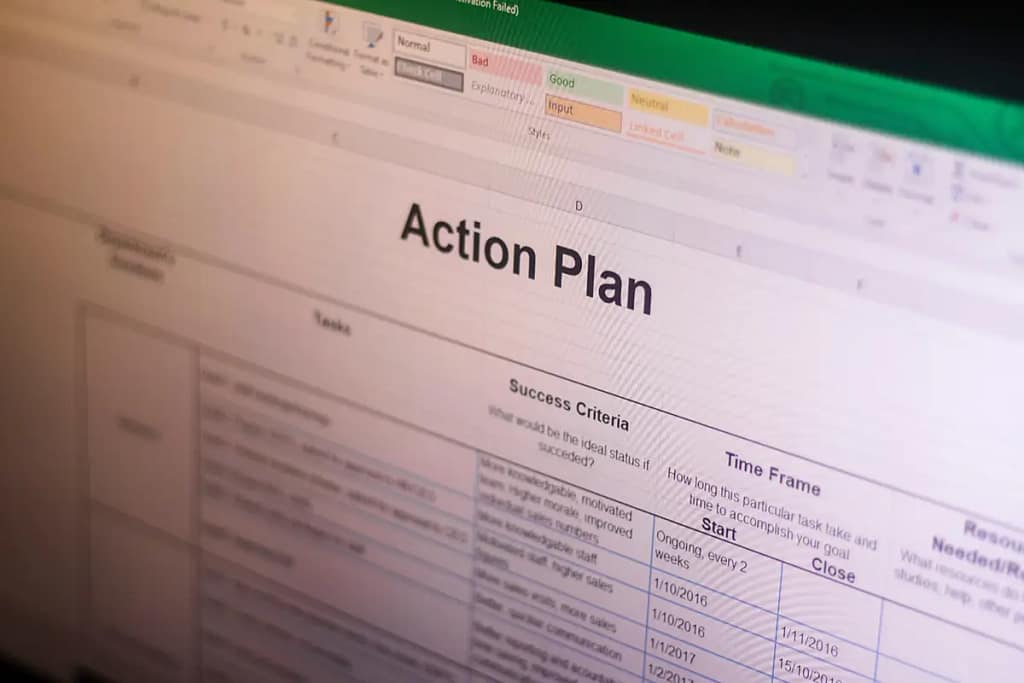
Problem #1: Action Plans Disappear Into a Spreadsheet Black Hole
Ask any SME Quality Manager what the biggest challenge is in their continuous improvement process. The answer is almost always identical. Closing the loop is difficult. Not because the team does not want to act, but because the system they use does not support them.
A typical workflow looks like this: You log a defect in Excel. You assign an action to a colleague. You set a due date.
Everything looks fine on paper. But the moment you close the file, the action becomes invisible. Your colleague never receives a reminder. The deadline comes and goes without any alert. A few weeks later, the same defect happens again, and when you check the file, you discover that the action has not been started.
Excel simply cannot sustain accountability. It relies entirely on you to follow up. You become the reminder system. You become the person who must chase information across shifts and departments.
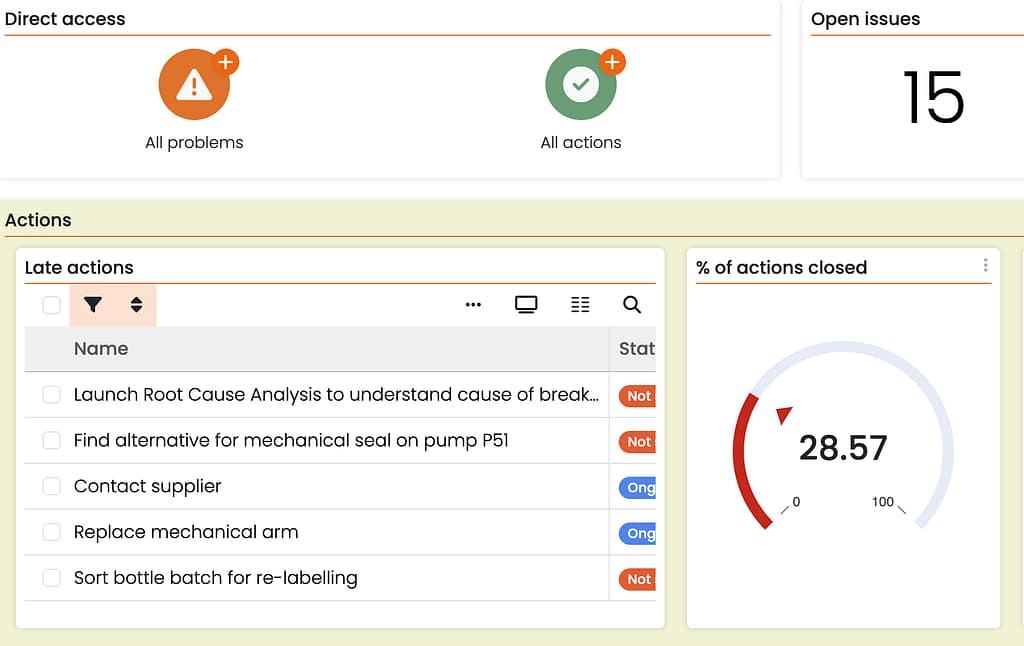
Modern tools change this entirely. Actions trigger notifications instantly. Deadlines drive automatic reminders. If something becomes overdue, the system escalates it to the right person. Accountability becomes built in, not manually enforced.
This is one of the reasons so many SMEs eventually choose to replace Excel quality tracking with systems that actively support accountability.
Problem #2: KPI Reporting Becomes a Weekly Project
Preparing for the operations meeting is another task where the limitations of Excel become obvious. The process usually involves exporting data from machines, cleaning logs, refreshing pivot tables, adjusting broken charts, and then copying everything into a slide deck.
This is not analysis. It is administrative work. And it is incredibly repetitive.
The moment you send the report, the data becomes historical. If someone asks a question like “What happened yesterday night” you cannot answer without reopening the data source, cleaning it again, and rebuilding the charts. Excel makes reporting a manual production task instead of a real time performance review.
Real time dashboards change this dynamic immediately. When operators enter data directly on the shop floor, dashboards update automatically. You walk into the Monday meeting with live data, not a static snapshot that took hours to assemble. Instead of validating numbers and explaining spreadsheet quirks, you discuss performance, trends, and actions.
Problem #3: Version Control Chaos (And Audit Panic)
Every SME has lived through the version-control nightmare. Look into a shared drive and you’ll inevitably find vEvery SME has experienced the version control nightmare. Open any shared drive and you will find a collection of files that look like this:
Quality_Tracker_v2.xlsxQuality_Tracker_FINAL.xlsxQuality_Tracker_FINAL_Dave_Edits.xlsxQuality_Tracker_REAL_FINAL_Nov25.xlsx
This is not simple clutter. It is a sign of a fragile system that relies on memory and informal rules. Only a few people know which file is the real source of truth. Only certain colleagues know which sheet contains the calculations that should not be touched. Only one person knows why Column G should never be sorted, or which hidden sheet must not be deleted.
Do I need to mention the fact that when the intern who wrote the macro leaves the company, the system becomes unreliable overnight?
This fragility becomes even more dangerous during audits. Instead of opening a structured system that contains clean, complete, traceable data, teams spend hours or days cleaning spreadsheets, fixing inconsistencies, reprinting logs, and staging everything carefully so it looks clean.
This is not governance. It is crisis management.

Modern systems enforce structure by design. Mandatory fields prevent incomplete entries. Changes are timestamped. Version history is immutable. And the system maintains a single source of truth, not six competing files scattered across a drive.
Besides, research from McKinsey also shows that frontline digitization significantly reduces rework and administrative time.
Problem #4: Quality, Maintenance, Safety, and Production Operate in Silos
Most SMEs do not have a single integrated operations platform. Instead, processes end up stored in different formats and systems.
Quality lives in Excel.
Maintenance lives in a paper logbook.
Safety lives in a binder.
Production planning lives on a whiteboard.
When problems occur, understanding why becomes investigative work. A sudden spike in scrap might actually be linked to a missed maintenance task or to a training gap. But because data is distributed across several tools, no one sees the full picture.
Excel does not help you connect the dots. It is too manual to compare information across systems.
With a unified platform, these relationships become visible automatically. Quality issues can be seen next to maintenance records. Operator actions can be correlated with training data. Trends become easier to interpret because everything is connected. Root causes become clearer and prevention becomes realistic.
Connect maintenance, training, safety, and quality
Problem #5: The Cost of Excel Isn’t the Admin Time (It’s the Lost Opportunity)
Some managers try to quantify the administrative burden of Excel. Even a conservative estimate of five hours per week becomes more than 250 hours per year. At an average cost of 40 euros per hour, that represents roughly 10 000 euros of administrative waste.
But this is not the real cost.
The real cost is in the work that never happens because teams are busy maintaining spreadsheets. Work like verifying corrective actions, coaching operators, investigating root causes, preventing repeat incidents, and improving processes. These activities create value. Excel reduces the time available for them.
A single missed action plan can cost more than an entire year of software fees. A small measurement drift that goes unnoticed because the spreadsheet is not updated often enough can lead to scrap, rework, or customer complaints. These are the real financial impacts of relying on passive tools.
What Modern Tools Look Like When You Replace Excel Quality Tracking
For many years, manufacturers had only two options. They either used Excel because it was flexible and free, or they purchased a large enterprise system that required months of setup and support.
This is no longer true. Modern platforms designed specifically for SME operations combine three essential capabilities Excel cannot offer.
- Mobile data capture. Operators can record issues, inspections, and measurements directly from the shop floor using a tablet or phone. There is no double entry. There are no transcription errors. Information becomes digital the moment it is created.
- Automatic monitoring. The system compares every input with predefined limits. If a measurement fails or a safety check is missed, the system reacts immediately with alerts and notifications. Excel waits for you. A modern system works continuously.
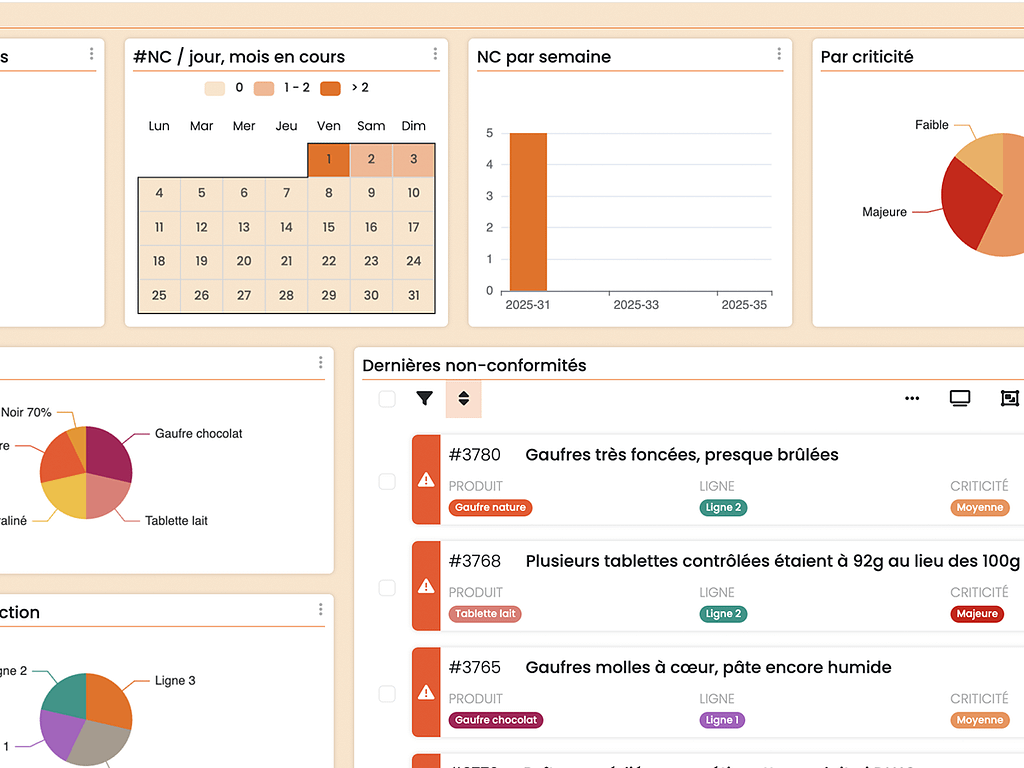
- Live dashboards. Instead of building reports manually, dashboards update as data flows in. Meetings become performance conversations, not reporting exercises.
In short, modern platforms create a living management system, not a static file.
Digitize your quality checks and non-conformities
How Houston Helps SMEs Replace Excel Quality Tracking
Houston was created for manufacturers who outgrew Excel but do not want the complexity or cost of a traditional enterprise system. It combines ease of use with the structure needed to support continuous improvement.
With Houston, you can design any process without writing code. If you can build a spreadsheet, you can build a Houston App. The difference is that your app includes built in monitoring, automated reminders, version history, and audit trails.
Actions are assigned to specific users. Deadlines trigger notifications. Overdue items are visible instantly. Quality checks are standardised. Inspections come with photo evidence. Dashboards update instantly. And everything is stored in a way that prepares you for audits automatically.
Houston Foundations is free for twelve months. This means you can digitize your first quality process, action plan, or incident log immediately without waiting for budget approval.
Most teams digitize their first process in less than one hour. Not because they are digital experts, but because the platform is designed for the people who normally rely on Excel or paper.
Replacing Excel quality tracking does not require a transformation project. It requires the right tool.
Conclusion: Excel Isn’t the Enemy, But It’s Holding You Back
Excel will always be a useful tool in manufacturing. But it was never designed to run a quality management system. You were not hired to maintain spreadsheets. You were hired to improve operations, prevent problems, and create stability in a fast moving environment.
When you replace Excel with a real time, action driven system, you reclaim hours every week, reduce risks, and gain visibility across shifts and teams. You no longer operate in reaction mode. You operate with clarity.
If you want to finally replace Excel quality tracking with something built for real operations, Houston Foundations is the easiest place to start. Ant it’s free forever up to 5 users. You’ll likely replace your first Excel tracker faster than you can fix a broken formula.